
The screenshots show the Simplified Chinese interface. Button names in your language may differ.
Select “I need a company invoice” when ordering
Choose one of the two invoice options at checkout:
| Option | Fee | Changes after payment |
|---|---|---|
| I need a company invoice | The 5% invoice service fee appears in the total before payment | — |
| No company invoice (default) | No fee | An invoice cannot be added after payment, including by manual request or payment of the difference |
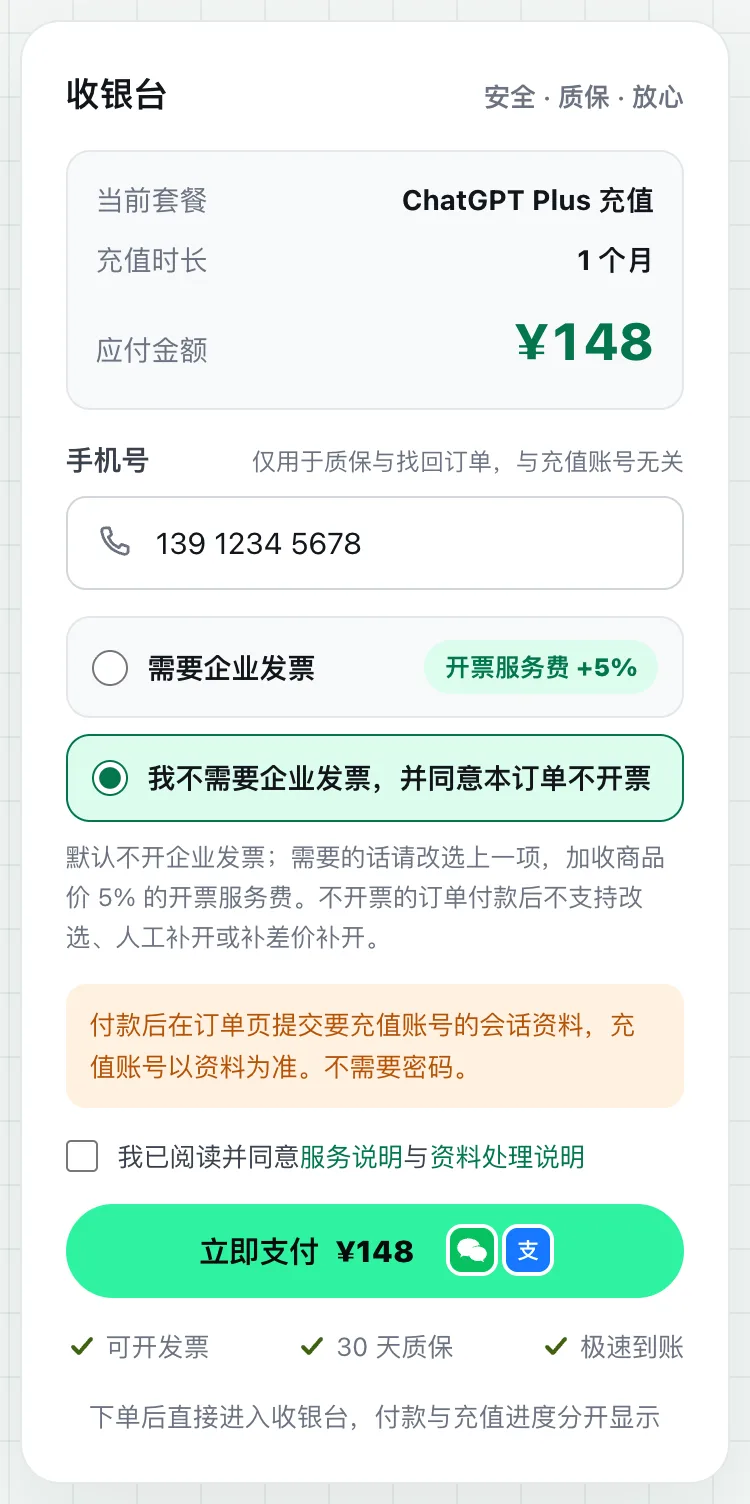
For reimbursement, select the company invoice option when ordering.
How the service fee is calculated
The invoice service fee is 5% of the product price. The table uses example AI Top-Up prices from November 9, 2026. Check your checkout total for the actual amount.
| Plan | Product price | Invoice service fee (5%) | Total |
|---|---|---|---|
| ChatGPT Plus top-up | ¥148 | ¥7.40 | ¥155.40 |
| ChatGPT Pro 100 | ¥790 | ¥39.50 | ¥829.50 |
| ChatGPT Pro 200 | ¥1380 | ¥69.00 | ¥1449.00 |
Enter invoice details after the top-up completes
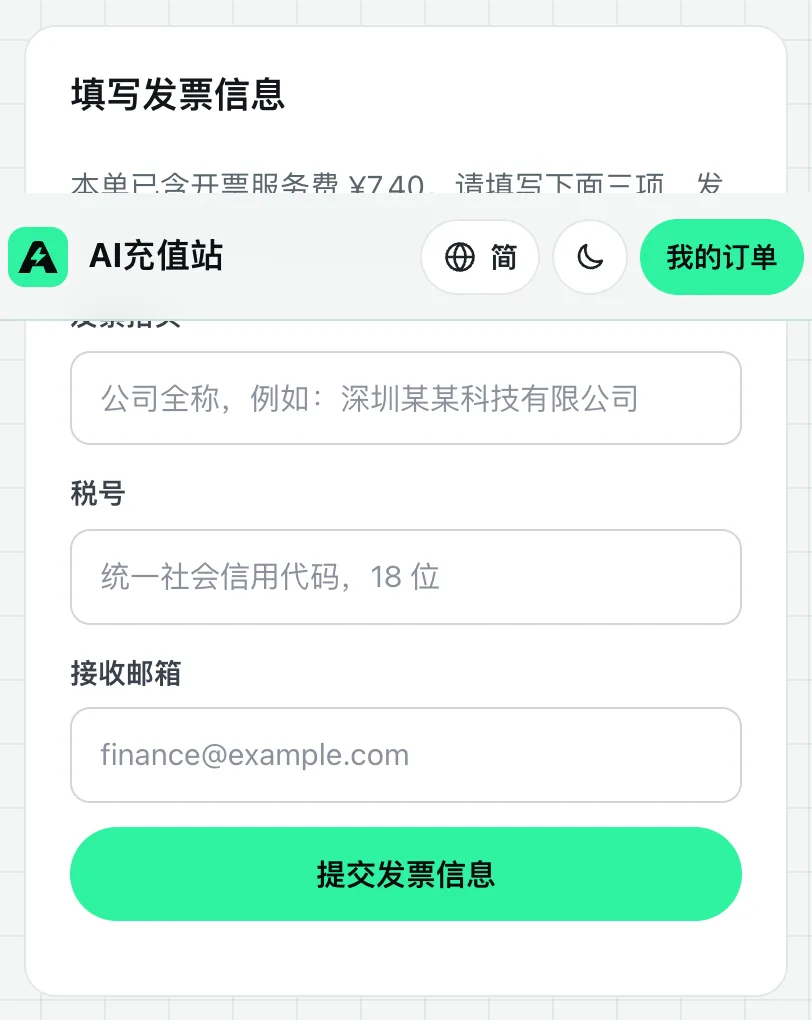
Once the order shows “Completed,” open “Invoice details” and enter the full legal company name, the 18-character Unified Social Credit Code for the tax ID, and your delivery email. You can resubmit the form to correct a mistake. The invoice is sent to that email once issued.
Contracts, company bank transfers, and bulk orders
Contact WeChat support before ordering if you need a contract, want to pay by company bank transfer, or need to upgrade multiple accounts at once. We will confirm the process for your order.
See the service and after-sales policy for the full terms.